
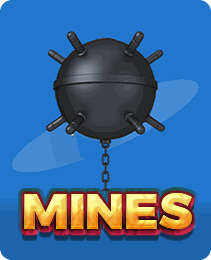
Crash & Instant
Mines
Mines turns a minesweeper-style grid into an instant game where every safe tile raises your multiplier. This guide explains the settings, the cash-out choice and a firm stopping habit.
| Game type | Crash & Instant |
|---|---|
| Where to play | Y1 Game app for Android |
The grid and the goal
Mines shows a grid of hidden tiles, commonly five by five. Some tiles hide gems or stars, and some hide mines. Your job is to uncover safe tiles one at a time without hitting a mine.
Every safe tile you reveal pushes the multiplier on your stake higher. Hit a mine, and the round ends with the stake lost.
Settings you choose first
Stake
Set your bet amount before the round. Keep it well below your session budget.
Number of mines
You choose how many mines are hidden in the grid. More mines mean each safe tile is less likely, so the multiplier climbs faster. Fewer mines give smaller steps but more room.
Playing a round
Once you start, tap any tile. A safe tile flips to show a gem and updates the cash-out amount. You then decide: pick another tile, or press cash out to collect.
That choice repeats after every safe reveal. The round ends when you cash out, hit a mine or clear every safe tile.
Grid size, mine limits and auto-play options vary by version. Check the rules screen inside the game.
Every pick is a fresh gamble
There is no safe corner and no pattern to learn. Mine positions are random, so a feeling that "the next one must be safe" is just the gambler's fallacy. Strategies posted online cannot remove the house edge.
Some versions include an auto cash-out or auto-play setting. Treat it as a way to follow your own plan, not a method for winning.
A firm stopping habit
Decide before you open the game how many rounds you will play and what total loss ends the session. When a round ends on a mine, do not immediately raise your stake to recover it. A short break works better.
Getting to Mines on Y1 Game
Choose Crash in the side menu, where instant games like Mines and Mines Gold are usually grouped. The full y1 all game list covers everything else, and how to play y1 game explains deposits and your first bet. If you like quick rounds with no picks at all, compare it with Crash.



FAQ
Mines FAQ
Does choosing more mines in Mines improve my chances?
No. More mines make each pick riskier, which is why the multipliers grow faster. The trade-off is built into the game, so neither a low nor a high mine count gives you an advantage over time. Pick a setting you find comfortable, not one you think beats the game.
Are the mine positions fixed before I start picking?
In most versions, mine positions are set randomly when the round begins and do not move based on your picks. Some games let you verify this with a provably fair check. Tile order and past rounds tell you nothing about where mines are.
Is there an auto mode in Mines?
Many versions offer an auto play option where you preselect tiles and a number of rounds. It saves taps but can make you play far more rounds than intended. If you use it, set a stop-on-loss limit first.